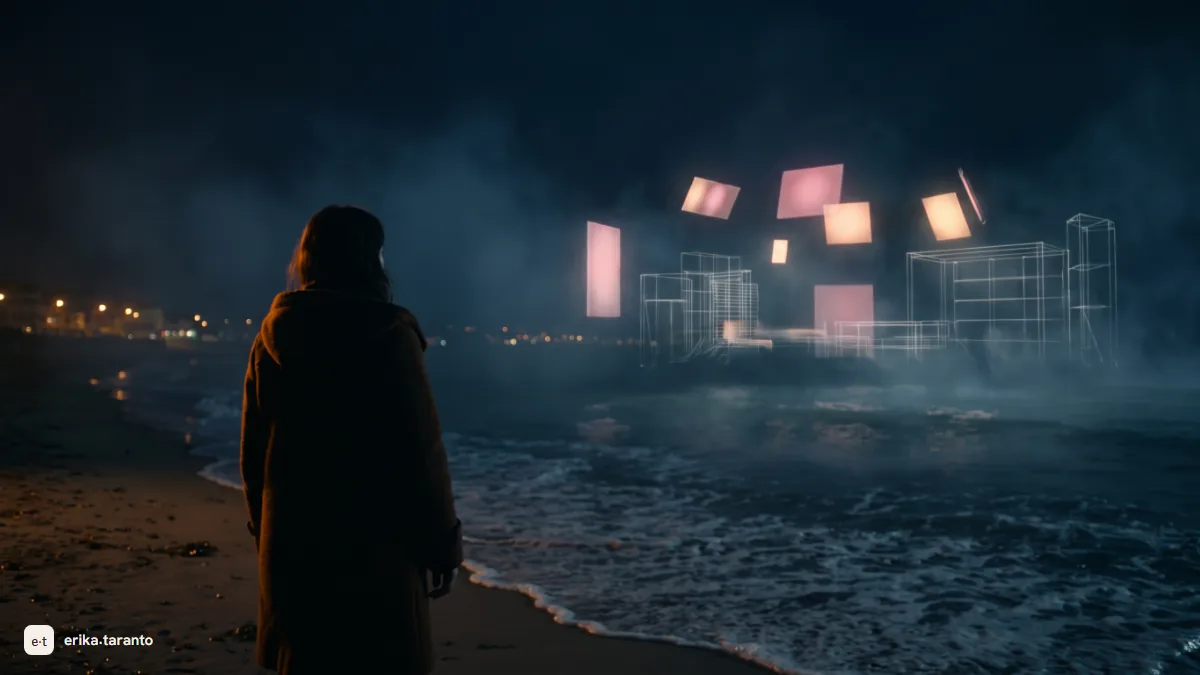
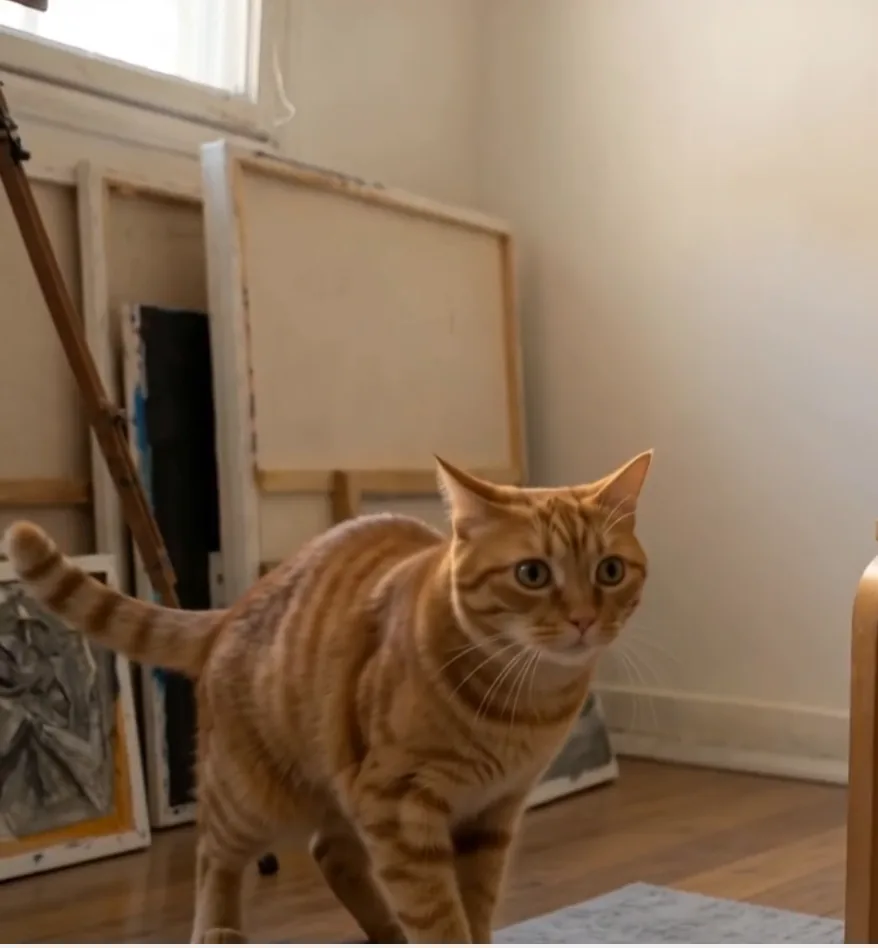
Creating videos with AI in 2026 works like this: you describe the scene (or give it a starting image) and the model generates a clip of a few seconds, with camera, movement and, on the top engines, synchronized audio. Then the clips get selected and edited, as in cinema. The four main tools are Veo 3, Kling, Seedance and the Higgsfield platform, which hosts them and adds the directing tools on top. The quality is already television grade; the real limits are clip length and consistency from one clip to the next. Below you find how it all works, what it costs and what you can do with it for work.
Two years ago AI-generated videos looked like a joke: bodies deforming like wax, people walking and melting halfway. Today the same tools are used to produce commercials and short films: my mini-film UNSEEN made it among the 10 world finalists of the United Nations AI for Good Film Festival, and it was shot exactly with the tools in this guide. If you want to see what kind of results you can reach, here you find the complete UNSEEN case study, with the behind the scenes.
My name is Erika and my job is generating AI images and videos for brands and for my own projects. So no list of twenty tools copied from press releases: I tell you about the four main ones, where each one wins, where they struggle, and how to build a video from scratch, with the workflow I follow. At the end of the page you find the list of the dedicated guides, one per tool, free route included.
How AI video generation works today
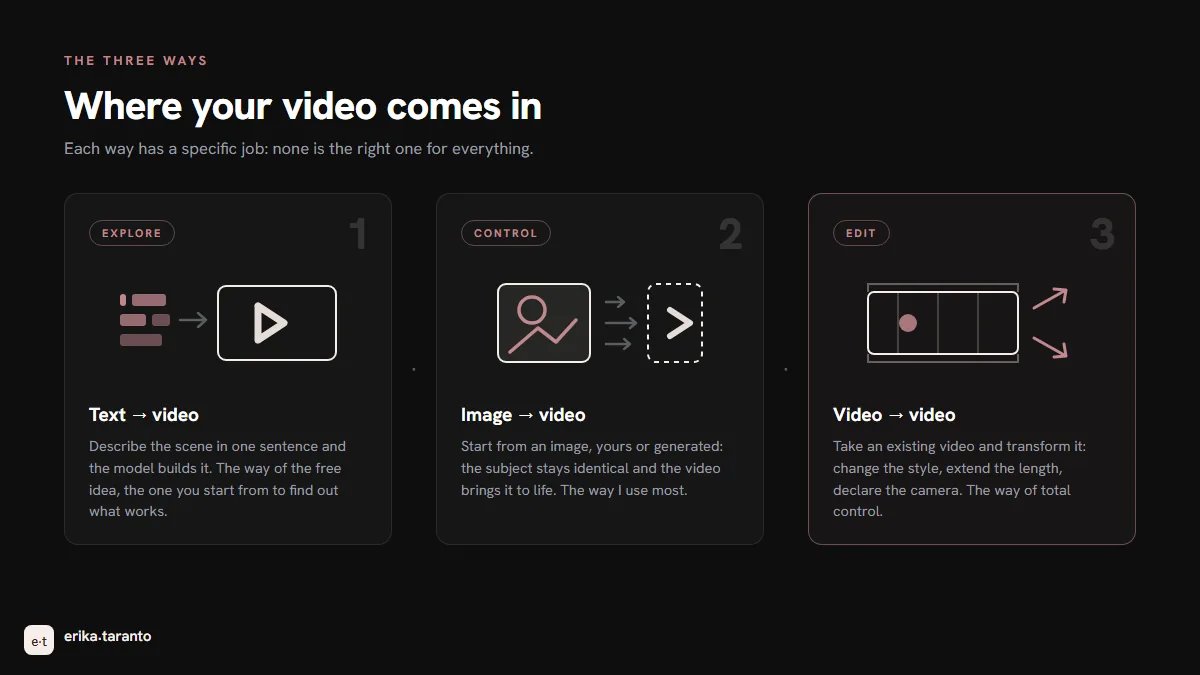
The principle is the same as images, with one added complication: time. A video model must decide not only how every frame looks, but what happens from one frame to the next. This is why there are three ways in.
Text-to-video. You write the scene and the model shoots it: subject, action, camera, light. It is the way everyone knows, and it is great for exploring ideas, because every sentence can become a shot.
Image-to-video. You start from an image, yours or generated with AI, and the model animates it: it decides the movement inside the scene while keeping the starting point. It is the most reliable way when you need control, because the subject is already there, identical, and the model animates it without having to reinvent it. It is the road I use most: first I generate the key frames with image models, then I animate them.
Video-to-video. The third way is editing a video you have already generated, or real footage. On generated footage it is the road less traveled, because the models were born to create, not to reshuffle. But in the opposite direction, special effects on real videos, the results are convincing: you start from real footage and add skies, explosions, creatures and AI-generated magic. It is a craft of its own, with its own rules: I will tell you about it in a dedicated post when it comes out.
Then there is the fact that changes everything compared to last year: audio. Veo 3 generates audio synchronized with the scene, dialogues included. Until recently AI video was silent and the voice was added afterwards; today the rain has its noise and a character can speak with lips following the words. It is not a detail: it is the difference between an experiment and a product.
The four main ones (and why)
The question I get every week is "which one is the best?". It is the wrong question: they are four different tools, and the work improves when you stop looking for the winner and start assigning every scene to the tool that does it best. I will tell you about them one by one, the way I use them.
Veo 3 and Veo 3.1 (Google DeepMind) is the one that follows the prompt with the highest precision. It is used in Flow and via the API (according to the Gemini page, in the paid app its place has been taken by Gemini Omni, Google's new video model), and the current version executes the requests as you wrote them: you ask for a lateral tracking shot with backlit rain and you get that scene, with the camera and the light you described. The native audio is among the best, the dialogues hold up. It is the engine to choose when the video must match exactly what you described. The Veo 3 guide.
Kling (Kuaishou) is the most realistic at how people move: walks, gestures, body physics. It is one of the tools I used to generate the scenes of UNSEEN, and it stays my reference when someone is moving on screen. On October 15, 2026 Kling officially launched version 4.0, with clips of up to thirty seconds and stereo audio. The Kling AI guide.
Seedance (ByteDance) is the one that interprets long prompts best, with several actions chained together. When a scene contains three actions in a row, the other models execute two and skip one; Seedance respects them all. Version 2.5, launched on July 31, 2026, extends the duration to thirty seconds in a single generation and accepts up to fifty references at once (thirty images, ten videos and ten audio clips). If you write scenes, and not single moving images, it is the right engine. The Seedance guide.
Higgsfield is something else: not a model but a directing platform. Inside you find several engines, Seedance and Kling included, and above the engines the tools the others lack: ready-made camera moves, from dolly to orbit, clip extension, character consistency from one generation to the next. It is where I spend my days, and it is the tool I use to enter projects in competitions. The Higgsfield guide explains platform, credits and plans in detail; if you want to try it, I log in every day through higgsfield.ai.
And Sora 2? It closed: the app and the site were switched off on April 26, 2026, and on September 24 the API followed the same road. It remains the model that taught everyone project-based work, the storyboard and the cameos, and its story deserves to be told for how it ends: Sora shutdown: why Sora 2 closed and the alternatives.
Which one to choose for what
This table sums up when each one is worth choosing. What is free is updated to August 2026, except the Veo row, rechecked on October 16, 2026, and it changes often.
| Strength | Free, today | When I choose it | |
|---|---|---|---|
| Veo 3 | Control, prompts followed | no free tier: video generation in Gemini requires a Google AI plan | Results faithful to the prompt |
| Kling | Realism, movement | no credits in the free plan | People in motion |
| Seedance | Long prompts, duration | free trial versions via Dreamina (CapCut) | Scenes with several actions |
| Higgsfield (platform) | Directing, consistency, camera | free plan with few models, no credits | Whole projects, from reels to short films |
There are few serious ways to generate AI video without spending: the table above is enough to understand how much you can try, not to work with. The complete list of free routes, collected and explained, is in the dedicated guide: free AI video generators.
In practice you do not choose one tool: you build a combination. I generate the key frames with image models, animate with the engine that fits the scene, and keep the project together inside a directing platform, where character consistency and the camera stay stable from one clip to the next.
Creating a video with AI, step by step
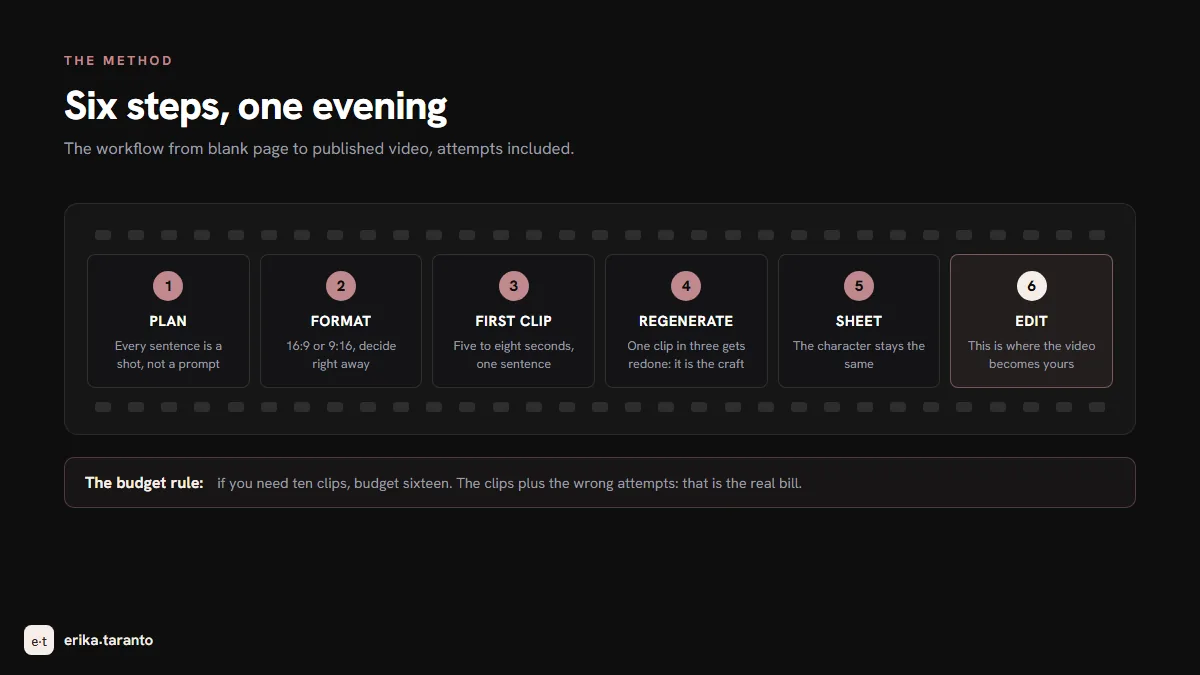
The workflow I follow, from blank page to published video. I show it to you in full, attempts included:
- Write the plan, not the prompt. Before touching any tool, I split the video into sentences: every sentence is a shot. "A woman walks along the waterline at night" is one clip. "The bar sign reflects in the puddle" is another. A thirty-second reel is six to eight sentences.
- Choose the format right away. Horizontal 16:9 for YouTube and the site, vertical 9:16 for reels and Stories. Changing it later costs regenerating everything, because the shot is born in the format.
- Generate the first clip. A prompt for five to eight seconds, one per sentence. The first take is almost never enough.
- Regenerate the clips that do not hold. Camera wandering, physics collapsing, a detail changing: on average, one clip in three needs redoing. It is the normal cost of the craft, not a failure.
- Keep the character consistent. If the video has a face that must stay the same, the method is to first generate a character sheet: a series of images of the same person from several angles, from far away, the face up close, from the side, three quarters. From then on every clip starts from those images as reference, and the character stays recognizable from one scene to the next. Skipping this step is the number one reason the character changes face halfway through a video.
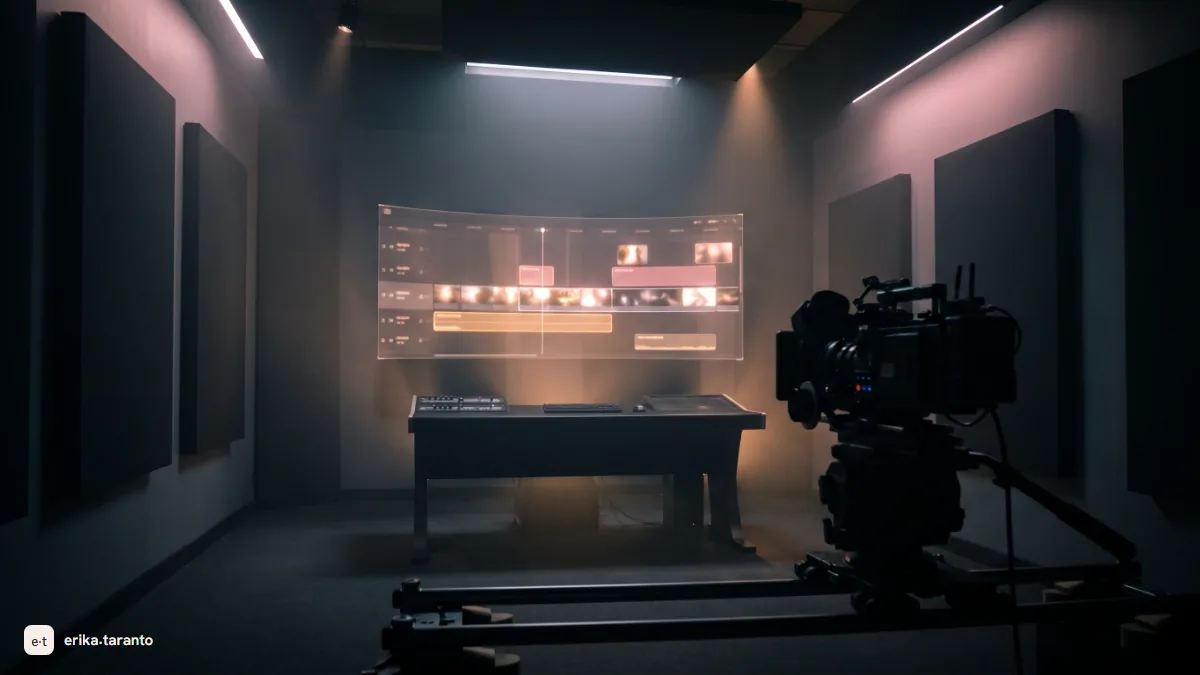
- Edit. The clips go on the timeline, get cut to the rhythm, the audio gets added. No model gives you the edit: this is where the video becomes yours.
- Check the details up close. Hands, texts, objects that morph. AI video has to be reviewed carefully: good surprises happen too, but you do not publish with your eyes closed.
How to write a video prompt that works
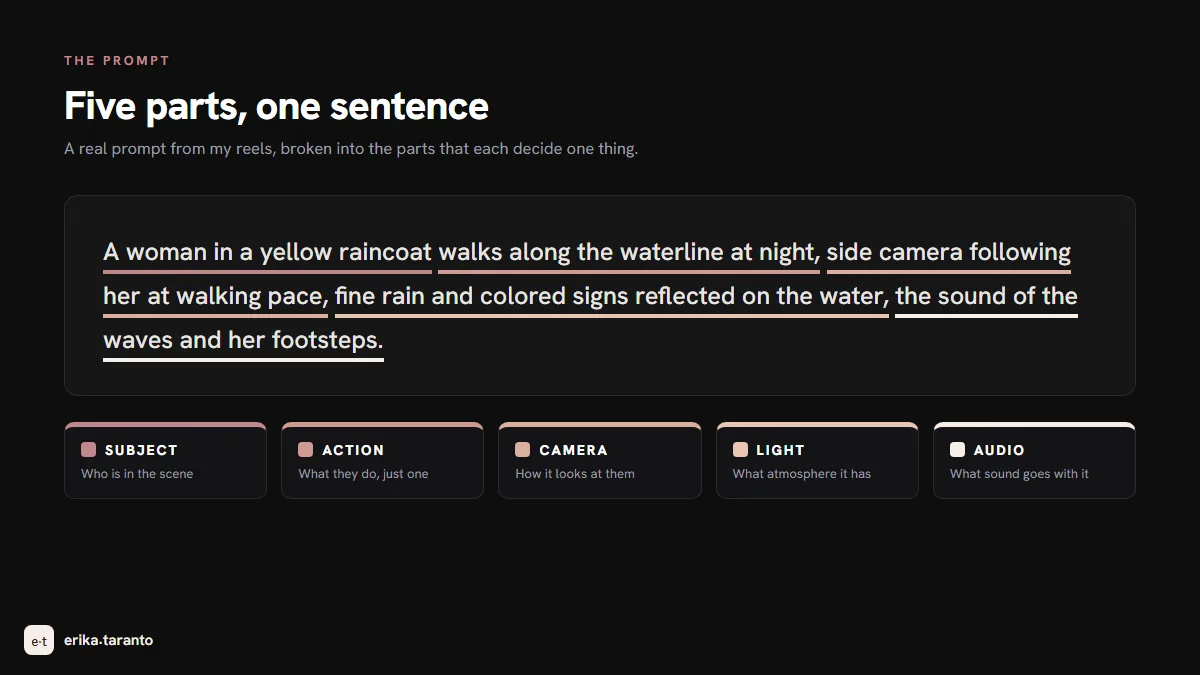
After spending a year writing prompts every day, I reduced everything to five elements, in this order: subject, action, camera, light, audio. One at a time, in the same sentence.
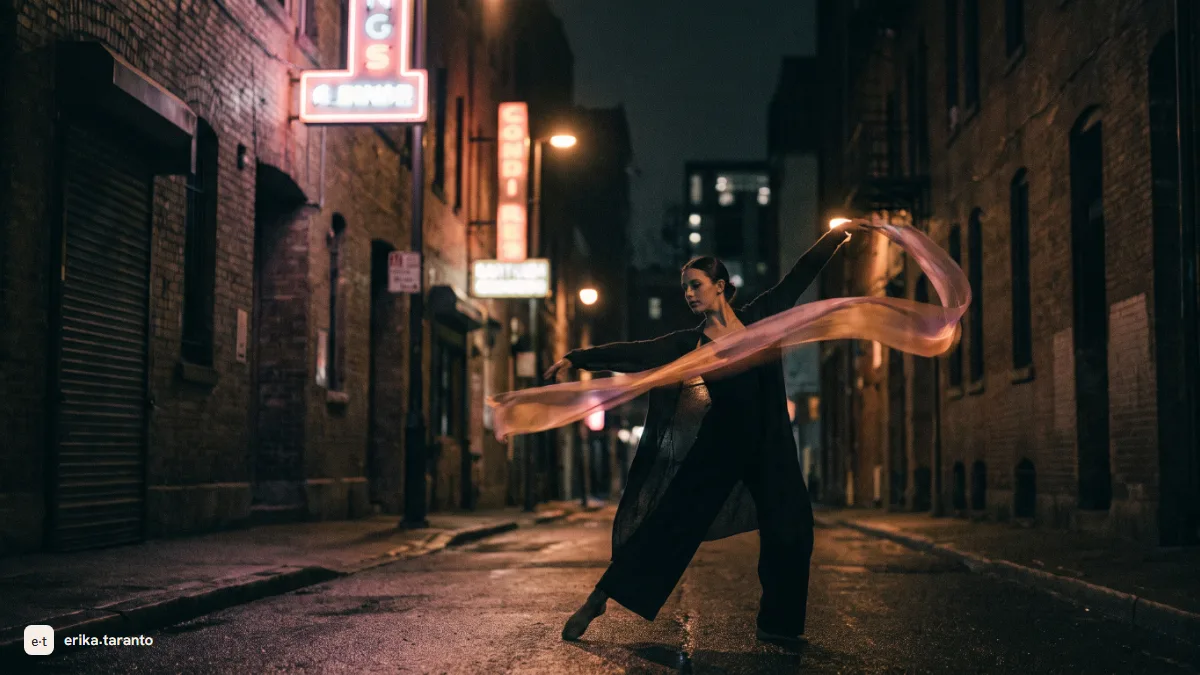
A woman in a yellow raincoat walks along the waterline at night, side camera following her at walking pace, fine rain and colored signs reflected on the water, the sound of the waves and her footsteps.
This is a prompt from one of my reels. It works because every part decides one thing: who is in it, what they do, how the camera looks at them, what light the scene has, what sound goes with it. When the model has to guess nothing, errors go down.
And when the scene contains an emotion, the rule is to show it, not to label it. "A sad woman" is a label: the model makes of it what it wants. "She walks slowly, eyes down, shoulders closed, her step stopping for a moment in front of the dark shop windows" is a scene you can see, and the sadness comes from what you see. In my prompts, when there is a person, I always describe how they move, where they look and what relationship they have with what surrounds them: that is what makes the difference.
The rules that make the difference, learned at my own expense:
- One action per clip. Two actions in the same clip are the fastest way to watch the physics crumble. Two actions, two clips, edited together.
- One camera move, or none. "Fixed camera" is a prompt that works and few people use: models tend to wander, and declaring the camera still stabilizes everything. Otherwise one move only, declared: lateral dolly, slow push-in, orbit.
- Speak in positives. Models do not understand negation: writing "no people in the background" is the safest way to make people appear in the background, because the words the model picks up are "people" and "background". Always rephrase in terms of what you want: "a woman walking alone in an empty city". Same scene, told with what is there instead of what is not.
- Declare the audio when the engine generates it. On the engines that generate it, like Veo 3, the audio is asked for in the prompt: the sound of the waves, the distant traffic, the voice. If you do not ask, it will decide, and not always the way you would like.
- Use a starting image when the subject must stay. Text describes, reference guarantees. For the recurring character the sheet is the most reliable solution.
Today the AI writes my prompts
The method stays the same. What changed is who executes it: I no longer compose the final prompts by hand, the AI I work with writes them.
I describe the scene the way I would tell it out loud: "a woman in a yellow raincoat walking along the waterline at night". The assistant completes the rest, in my style, and the prompt comes out like the one in the example above. And when the scene has a character I have already used, it goes back through my earlier scenes and the new one comes out consistent with the old ones.
That does not mean handing everything over to the AI: the decisions stay mine, what you see and what atmosphere it must have. The advantage is something else. Sooner or later something slips past a person: the camera move gets forgotten, the tone changes, and tonight's clip no longer looks like yesterday's. Nothing slips past the assistant, because it does not remember the rules by heart: it rereads them, every time.
And it works because this is not just any chat: it is connected to the brain I keep on my computer, where how I work is written down. The rules of this guide are in there too, with the corrections of these years: every time a prompt did not convince me, a note ended up there: this one no, that one yes. It learned my method from constant criticism. This holds for any assistant: the more directions you give, the more it learns your style.
And prompts are only the beginning. The same AI connects to Higgsfield and, with the Higgsfield for Blender plugin, enters the scene: you build it in 3D by describing it, you set camera and movement, and from the reference video the assistant writes the prompt of the shot, which the model generates. Scene, directing, prompt, video: the whole chain is directed in conversation. I covered it in full in Higgsfield Blender plugin.
How much it costs to create videos with AI
The pricing logic is the same for everyone: free to try, paid to produce. The table below says how each plan is built (updated to August 2026, the Veo row rechecked on October 25, 2026), not what it costs. Prices, credits and quotas change often: for today's, check the official page.
| Tool | Free | To produce |
|---|---|---|
| Veo 3.1 | no free tier: video generation in Gemini requires a Google AI plan | paid Google AI plans; via API (Google Cloud) you pay by usage |
| Kling | no credits in the free plan | paid Standard plan, then you move up a plan when you need more credits |
| Seedance | free trials via Dreamina (CapCut) | included in the plans of the platforms that host it, Higgsfield included |
| Higgsfield (platform) | free plan with few models, no credits | plans with monthly credits; the top plans include Unlimited windows on some models, of limited length, in which you generate without counting credits |
What it can and cannot do (the limits, explained honestly)
Here I collect the real limits, the ones you discover after weeks of attempts, with the remedy for each.
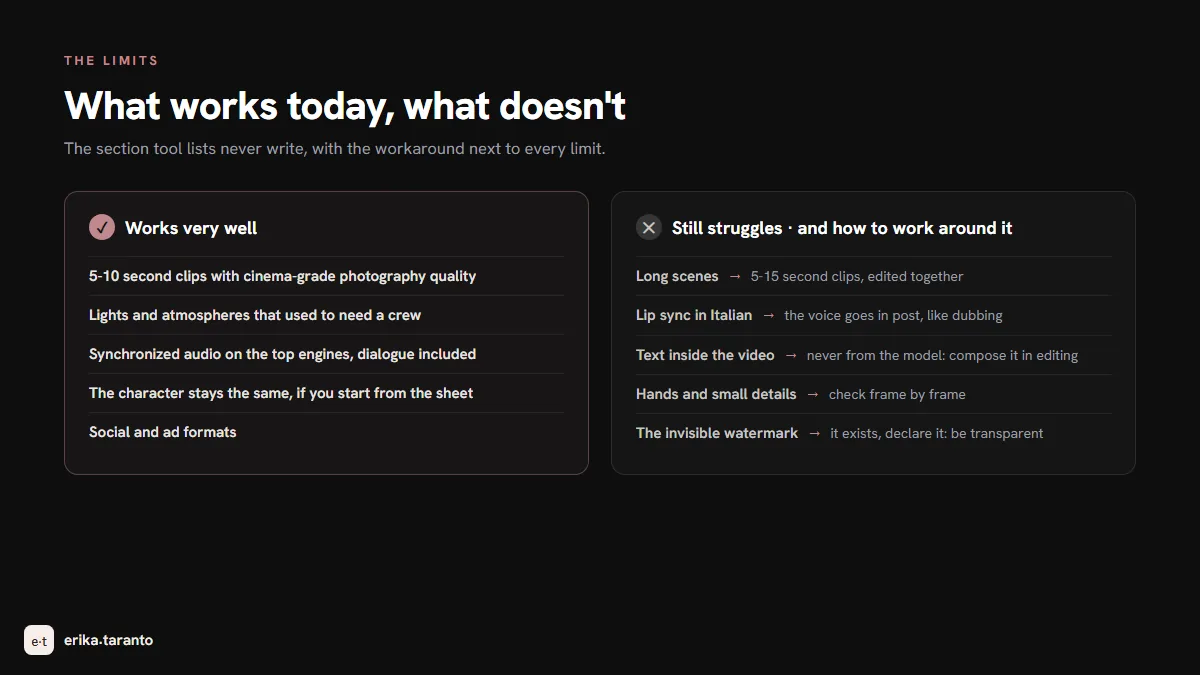
Today it does very well: five to ten second clips with the quality of cinema photography; lights and atmospheres that used to ask for a crew; synchronized audio on the top engines; the character staying the same when you use the sheet; social and ad formats.
Where it still struggles, and what to do:
- Long scenes. Until recently no model got past ten seconds in a row. Seedance 2.5 pushes the limit to thirty seconds in a row, and the results have surprised me; Kling 4.0 also claims clips of up to thirty seconds. But even the best thirty seconds still need cutting and editing, because inside a long clip there is always a moment that falls. In my daily work I stay on five-second clips; with Seedance I go up to ten or fifteen, where quality and control balance out. Editing is not a fallback: it is how these videos get made.
- Lip sync. Models move lips well in English and Chinese; Italian is the language where the gap shows most. It is not a coincidence: many of these models are born in China, and all of them train mostly in English. When I need the Italian voice, I generate the scene and add the voice in post, as dubbing has always done.
- Text inside the video. Never ask the model for it: writing comes out crooked or invented. Texts get composed in editing, always.
- Hands and small details. Much better than a year ago, but they remain the point to check one hundred percent: a ring switching hands, a cup filling itself. Look at everything frame by frame before publishing.
- The invisible watermark. This one you do not see, but it is there: even when a video looks clean, many services write an invisible signature inside the file declaring it was generated with AI. Social platforms like TikTok have tools able to find it. It is not a problem if you are transparent, and you have to be: but knowing it exists saves you surprises.
Rights, watermarks and commercial use
The part that matters if the video has to leave your phone and end up in real work. The summary, which does not replace the official terms or legal advice.
The output is yours and commercial use is generally allowed. On the main tools the terms grant the user the generated material and allow commercial use, marketing included. Exceptions exist and are tied to the free plans of some tools: always check your plan, not the tool in general.
Visible and invisible watermarks. Free plans often stamp the visible watermark, which disappears on the paid plans. And as we saw in the limits, underneath there is often the invisible signature too: it is called provenance, it declares the AI origin of the file, you cannot see it and you cannot remove it. Transparency is not an obstacle: in the European Union, Article 50 of the AI Act has made it an obligation since August 2, 2026, both for marking generated content (for systems already on the market before that date, marking applies from December 2, 2026) and for declaring deepfakes, and it is the direction the whole sector is going.
The responsibility is yours. If the model generates a face resembling a real person or a recognizable brand, the responsibility for the use stays with you. And the platforms you publish on, starting with YouTube, ask you to declare content generated or modified with AI: ticking that box does not diminish the work, it protects you and the audience.
In my work for brands I always start from plans and combinations with clean licenses: when a client signs, the chain of rights must be readable from start to finish.
Practical case: from prompt to published reel
I show you a real reel, from start to finish, so the method becomes concrete. A thirty-second vertical reel, the kind I publish.
- Story and colors. I decide the story in three sentences and choose the palette of the episode. Every episode of my series has its own color combination: it is a simple way to be recognizable, because followers see right away that the video is ours, even before reading the account name.
- The character sheet. I generate the images of the character from the various angles: from far away, the face up close, from the side. They keep the character identical in every clip of the reel: every generation starts from them.
- The clips. You need six to eight clips, each five to eight seconds long: one per sentence of the story. I generate them one after another, always declaring what the camera does, and regenerate the ones that do not hold.
- Editing. The clips go into the timeline and get cut to the rhythm: how long every shot lasts depends on the video you are making. Subtitles depend on the video's colors and on taste: the only fixed rule is that they be readable on any screen.
- The signature. At the end of the reel I put the end card: two seconds reading erikataranto.com. It is the signature of the video, what closing credits are in cinema. And it goes on every version, vertical for social and horizontal for the site: if a file leaves and travels on its own, the signature travels with it.
All in all: one evening of generations and one of editing. Thirty final seconds, eight clips, all born from a sheet and five elements in the prompt.
The AI shoots, you direct
In my videos the AI is not the author: it is the crew. It can decide how water moves, how light falls, how people walk; when one of these things matters to me, I decide it and write it in the prompt, because what you do not write, it decides its own way. There is a limit: the more details you write, the closer the result gets to what you have in mind, but too many instructions in a single clip multiply the mistakes. Precision comes from dividing: more short clips with few actions, instead of one long clip with everything inside.
The rest of the craft is directing, and directing has existed since cinema began: deciding what the audience sees, for how long, in what order, when sound comes in and when silence. AI did not change this craft: it changed how much it costs to try. Before you needed a crew and a budget; now an idea and one evening are enough. That is why the "press the button and watch the magic" tutorials disappoint: there is a craft to learn, and you learn it by doing. You can start with a single clip, tonight, without spending anything.
And if you need the video for your brand and prefer to have someone who does it every day on your side: that is exactly my job, from reels to campaigns. Find out how we can work together or write to me: we start from an idea and take it online.
The dedicated guide for each tool
This guide opens the AI video path. Every tool has its guide, written with the same method: real use and verified numbers. All the guides are online; this page stays the point you restart from:
- Sora 2: why it shut down, the story of the storyboard pioneer;
- Veo 3: the guide, control;
- Kling AI: the guide, realism;
- Seedance: the guide, the interpreter;
- Higgsfield: the guide, the directing platform;
- Higgsfield enters Blender, when the AI builds the 3D scene too;
- Free AI video generators, all the ways to start at zero cost.
And if you come from the world of images: we have already walked the same road: it starts with creating AI images for free.
Sources
- OpenAI, the Sora shutdown (app, site and API): help.openai.com
- Google Cloud, Gemini Enterprise Agent Platform pricing (Veo 3.1): cloud.google.com
- Google DeepMind, Veo: deepmind.google
- Kling AI, plans and credits: kling.ai
- Higgsfield, plans: higgsfield.ai
- ByteDance Seed, Seedance 2.5: seed.bytedance.com
- Google, video generation in the Gemini app (Gemini Omni): gemini.google
- Kling AI, the Kling 4.0 announcement: kling.ai
- Kuaishou, press release on the official launch of Kling 4.0 (October 19, 2026): bernama.com
- European Commission, transparency obligations under Article 50 of the AI Act: digital-strategy.ec.europa.eu
For updates and news, there is my Telegram channel
I publish the latest news on AI video tools there first.
Leave a comment
Comments are reviewed and approved before they appear.