

Perplexity can generate images, but not with a model of its own: it works like a router that passes your request on to external generators (Nano Banana 2, Seedream 4.5, GPT Image 2). You need the Pro plan to choose the model. Be careful: in Italy the feature might be blocked. Always verify live before counting on it.
Let me explain how things really stand, because there are quite a few half-truths circulating on this topic. Perplexity was born as an answer engine, the kind of tool you ask a question and get a sourced summary back from. At some point it added image generation, and many started wondering whether it could replace ChatGPT or Midjourney for creating graphics. The short answer is no, and in this article I will show you why, how to use it when it works, and above all what to do if you run into the Italian block. I kept everything honest: where a data point is uncertain, I tell you.
What Perplexity is and why it has no image model of its own
Perplexity is an AI-based answer engine: you ask it a question, it searches the web, reads the sources and gives you back a concise answer with links. For image generation, though, it has not developed its own technology. It relies on third-party models. In practice, it is a router.
What does that mean in concrete terms? When you ask for an image, Perplexity does not “draw” it. It takes your prompt, passes it to an external generator, waits for the result and shows it to you inside its interface. As of mid-2026, the models reportedly connected are three: Nano Banana 2 (the informal name of Google Gemini’s native image model), Seedream 4.5 by ByteDance and GPT Image 2 by OpenAI. The exact versions change over time, so when you open the selection menu you might find slightly different numbers: that is normal, these are tools that update every month.
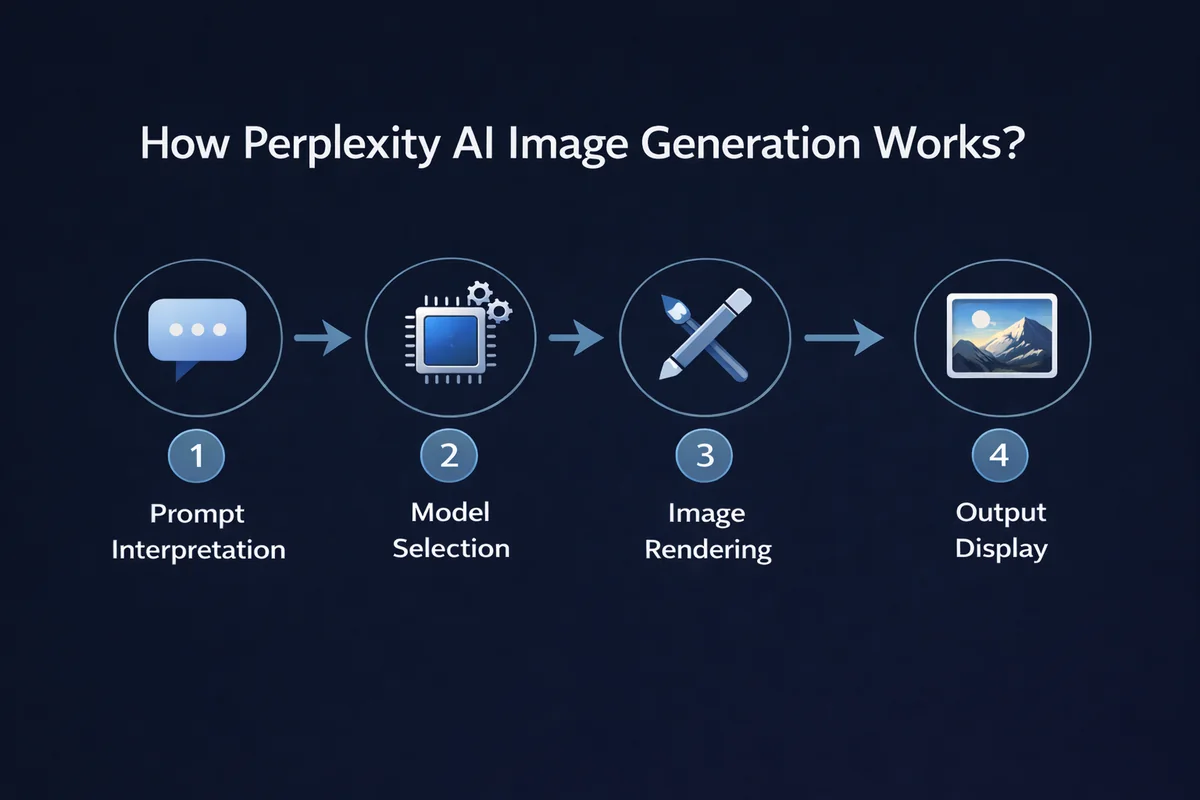
This is the first thing to understand, because it dismantles a common misconception. People searching for “Perplexity AI images” often think there is a proprietary graphics engine behind it, maybe better or worse than others. There is not. The quality you get is, literally, the quality of the third-party model Perplexity is using at that moment. If it generates with Nano Banana 2, the result is that of Nano Banana 2. Worth knowing, because those same models can often be used directly at the source, sometimes for free and without geographic limits.
This article is part of my guide on how to create images with AI for free, where I compare the seven tools I tested. Perplexity is a special case precisely because it is an intermediary, not an actual generator.
Does it work in Italy? To be verified live (updated July 2026). Since January 2026 many Italian users, including Pro subscribers, have reported a block on image generation with a message along the lines of “not supported in your region”. Perplexity spoke of a fix on the way, but as of July 5, 2026 it is not confirmed whether it has been resolved. Before trusting this feature, test it yourself with an Italian account: if the block appears, skip straight to the section on free alternatives.
How to generate images with Perplexity, step by step
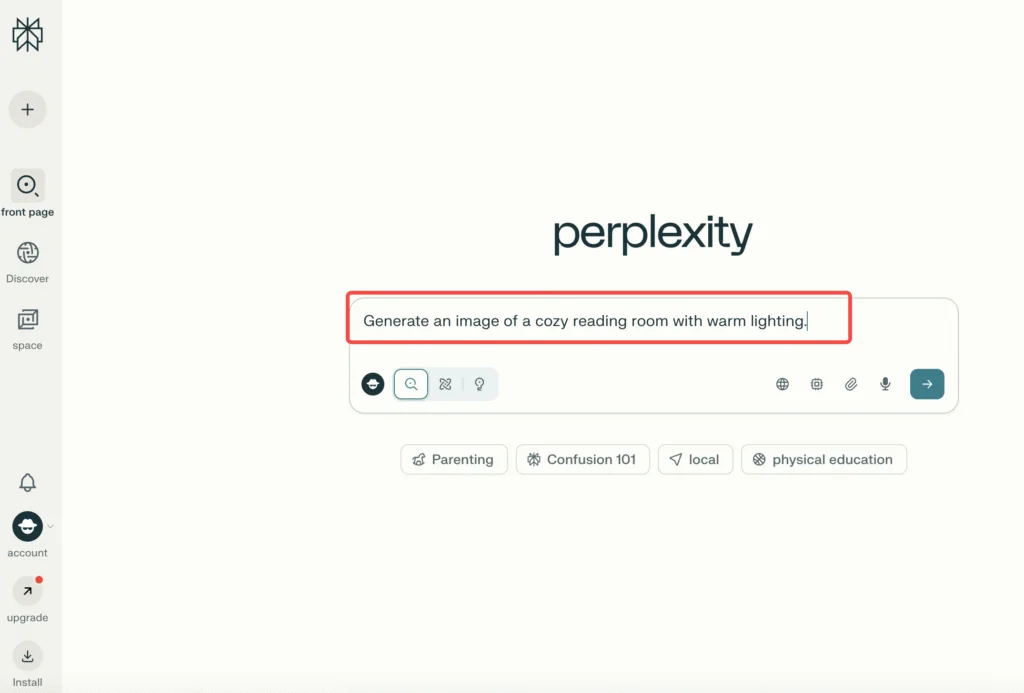
When it works, the flow is simple and this is where Perplexity is convenient: there is no separate “generate image” button like in the old versions. You write the request in the bar and the image arrives together with the answer.
Here are the steps I follow when I generate with Perplexity, assuming the feature is active on your account:
- Write the prompt directly. In the search bar describe the image as you want it. For example: “a black cat sitting on a windowsill at sunset, photographic style, warm light”. Perplexity understands you are asking for an image and generates it automatically. There is no longer any need to click a dedicated button: that flow is legacy, long outdated.
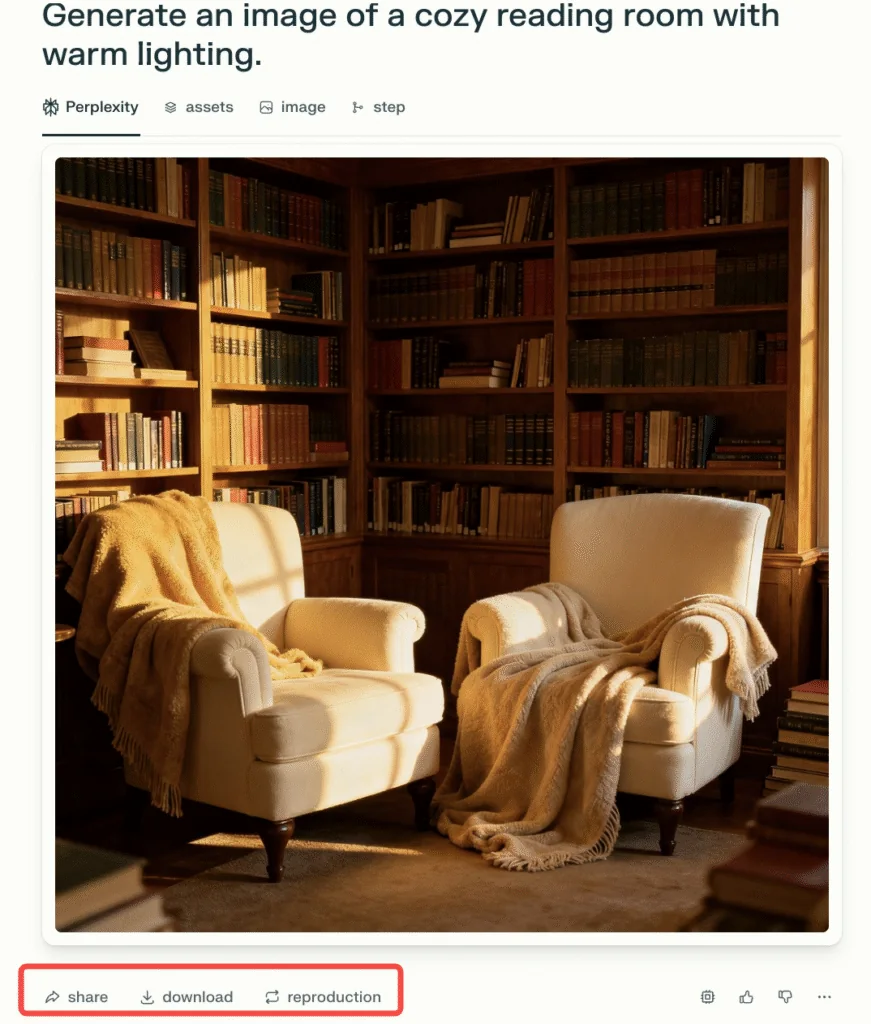
- Wait for the result. The router passes the prompt to the active model and shows you the image inside the conversation, usually accompanied by a short description.
- Download. Below the image you find the command to download it. From there you save it to your device.
- Regenerate if you do not like it. You can ask for a new version, but keep in mind that every regeneration consumes one unit of your daily counter. It is not infinite, so do not burn through them in rapid fire.
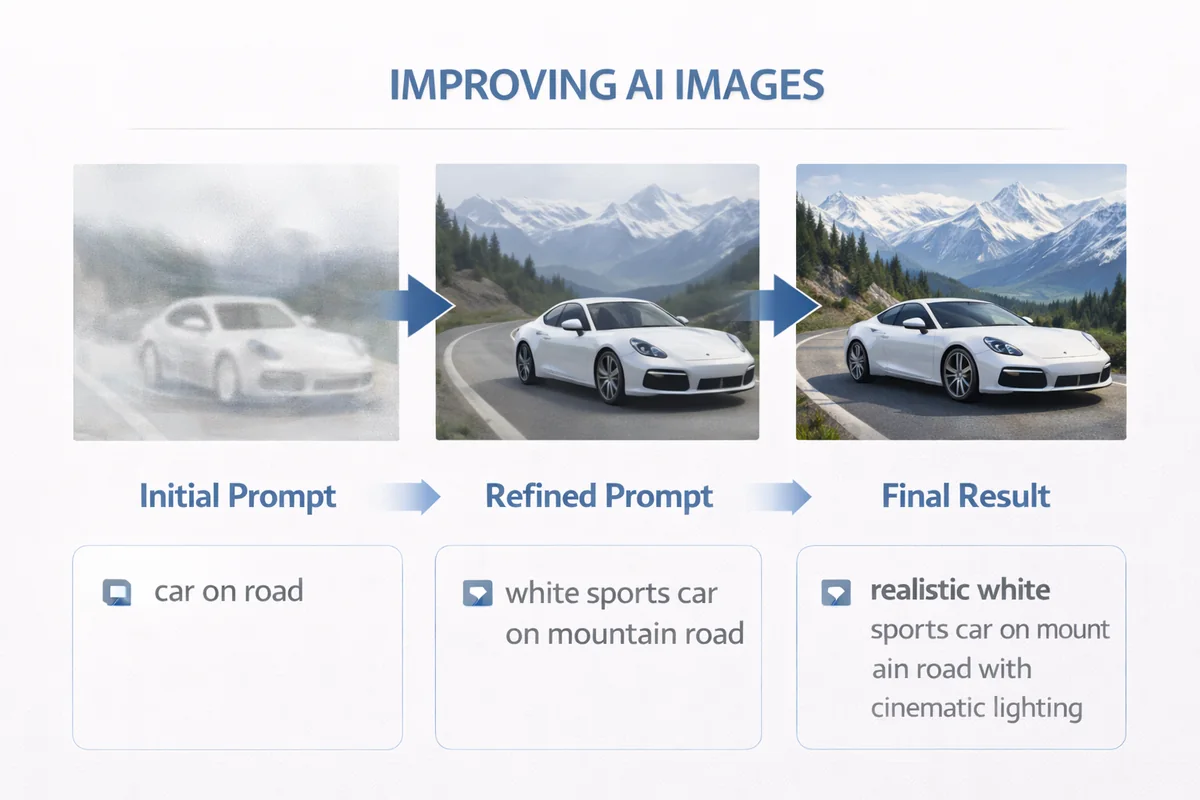
The practical advice I always give applies here too: be specific. Generation models work better when you give them subject, setting, style and light. “A dog” produces generic results. “A golden retriever running on a beach at dawn, realistic photography, shallow depth of field” produces something usable. The model is the same, what changes is how much work you have saved it.
Uploading a reference image
Perplexity also accepts a reference image: you can drag an image into the conversation (drag and drop) and ask it to generate something starting from it, or to modify it. Useful when you already have a style or a subject and want a variation. This feature also depends on the underlying model: some handle conversational editing better, others pure text-to-image.
Selecting the model (Pro only)
If you have the Pro plan, you can choose which generator to use. The path is Settings, then Preferences, then the Image generation model entry. From there you set your preferred model among those available. On the free plan this choice does not exist: you take whatever the system gives you, and as we will see the free plan is almost useless for images.
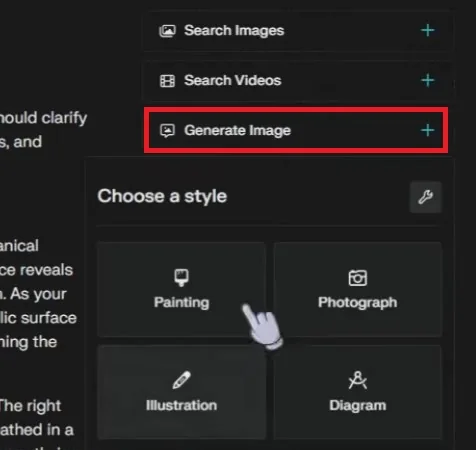
Why does selection matter? Because the three models have different personalities. Nano Banana 2 is strong on consistency and on text inside the image. Seedream 4.5 tends toward very “aesthetic” and stylized results. GPT Image 2 is excellent when you need readable text and precise compositions. If you generate graphics for the same project and want consistency, it makes sense to lock one in and stay there.
Plans and limits: what they usually do not tell you
Here we need to be precise, because this is the part where Perplexity is least transparent. I will put together what has been verified as of July 2026 and flag what is an estimate.
Free. For images it is effectively unusable. At best you can get something very limited, you cannot choose the model, and in many configurations the feature is not available at all. If your goal is generating images, Perplexity’s free plan is not the way.
Pro. This is the plan that actually matters: it unlocks model selection and raises the limits. On the exact number of images per day there is no official figure. Community estimates suggest around ten per day, but it is an unconfirmed and variable number, to be verified. The counter, by the way, is not shown clearly: you notice it when it stops you. Every regeneration weighs on the total.
Enterprise and commercial use. This is delicate. Available sources indicate that commercial use would be reserved for the Enterprise plan, while Pro would only cover personal use. This is information from a single source and should be confirmed by reading the updated Terms of Service. If you need to create images for work (company social media, materials for clients, products to sell), do not take for granted that Pro is enough: check first, or use a tool where the commercial terms are clear.
To sum up honestly: Perplexity for images is a service designed more for curiosity than for production. Fine for getting an idea, much less for a serious workflow.
The block in Italy: what happens and why
Let us get to the point that directly concerns readers in Italy. Since January 2026 numerous Italian users have reported that image generation stopped working, replaced by a message saying, in essence, that the feature is not supported in their region. The important detail: the block hit paying Pro users too, so it was not a limitation of the free plan.
Perplexity, at the time, spoke of an issue being resolved. The point is that as of July 5, 2026 it is not confirmed whether the block has been lifted or not. That is why I will not tell you either that it works or that it does not: it would be dishonest one way or the other. Instead I will tell you what to do.
Before basing any work on Perplexity’s image generation, test it yourself, today, with an Italian account. Write a simple prompt and see what happens. If you get the image, good, the feature is back at least for you. If the block message appears, do not waste time on it: move on to one of the alternatives below, which work in Italy without these problems and in several cases are free.
Free alternatives if you are blocked in Italy
If Perplexity does not generate images from your location, it is not the end of the world: you have tools available that do the same job, often better, and some of them are the very models Perplexity uses underneath. Here are the ones I recommend and test regularly.
| Tool | Cost to start | Strength | Honest note |
|---|---|---|---|
| ChatGPT (GPT Image) | Free with a low limit (about 2-3 images per day, unofficial) | Conversational editing, excellent text inside the image | It is the same GPT Image engine Perplexity uses underneath. Images are your property, commercial use allowed |
| Google Gemini (Nano Banana) | Free, about 20 images per day at low resolution (estimate) | The best free option of 2026, fast and consistent | This too is a model Perplexity routes to. All images carry the SynthID watermark |
| Bing Image Creator | Free with a credit system | No cost, integrated into Microsoft | Use limited to personal non-commercial: be careful if you need it for work |
| Leonardo AI | Free, about 150 tokens per day | Strong on character consistency | More technical interface, designed for those who create in batches |
| Ideogram | Free with weekly credits | The best for text inside the image | Limited credits, but unbeatable for logos and lettering |
Two of these are not just any alternatives: they are the source. GPT Image and Nano Banana are among the models Perplexity calls when it generates. Going straight to them means skipping the intermediary, avoiding the geographic block and often getting better conditions. If you want to go deeper, I wrote two dedicated guides: creating images with ChatGPT and creating images with Gemini, which is exactly one of the generators Perplexity uses behind the scenes. And if you need the professional version of Google’s model, here is Nano Banana Pro: pricing and how to use it.
Perplexity versus the dedicated generators
Does it make sense to use Perplexity for images? My practical answer is: only in one case. If you are already doing research on Perplexity and you need an accompanying image on the fly, the convenience of having it in the same place has value. It is its only real advantage: the context.
For everything else, a dedicated generator wins. Let us see why, no sugarcoating.
- Control. On ChatGPT or Gemini you work directly with the model, you iterate with precision, you edit conversationally. Perplexity adds a layer in between that takes control away from you.
- Limits and transparency. I find Perplexity’s hidden counter and unofficial estimates awkward. I prefer tools where I know what I can do.
- Commercial use. On ChatGPT the images are yours and you can use them for work. On Perplexity the commercial question is ambiguous and possibly reserved for Enterprise.
- Availability. The Italian block alone is enough to advise against it as a reliable tool until the situation is clear.
- Quality. Identical to that of the underlying model, so you gain nothing by going through the intermediary.
That said, Perplexity remains an excellent answer engine. My advice is to use it for what it is strong at, research, and to entrust image generation to tools born to do it.
In conclusion
Perplexity is an excellent answer engine that added image generation by relying on other people’s models. It has no graphics technology of its own: what you get is the quality of Nano Banana 2, Seedream 4.5 or GPT Image 2, the same models you can often use directly and for free. Add the possible Italian block that is not yet clarified, the non-transparent limits and the ambiguity over commercial use, and the picture is clear: for images, other tools are the better choice. Use Perplexity for research, where it is among the best, and rely on dedicated generators to create.
If before publishing or producing something you want to be sure which tool fits your case, test it yourself today: the monthly updates in this field make every guide a snapshot, not a law.
Want images like this for your brand?
Want to learn how to use these tools for your brand, with a method and without wasting time on blocked features and hidden limits? I work with them every day, from brand images to AI commercials. Discover my services or write to me here.
Sources
- Perplexity Help Center - Generating images
- Honeyb.ai - Guide to image generation with Perplexity (June 2026)
- Storylane - How to generate images with Perplexity
- HWUpgrade - Perplexity, image generation blocked in Italy (January 2026)
- EduNews24 - Perplexity and the image block in Italy
- TechRadar - Perplexity image generation, models and limits
- Il Software - Perplexity introduces image generation

Leave a comment
Comments are reviewed and approved before they appear.